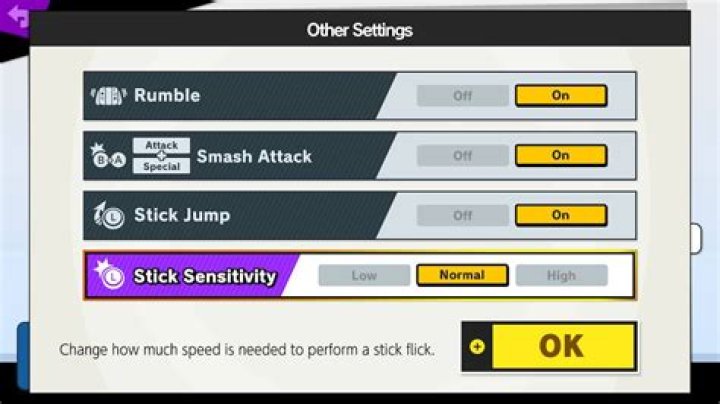
Super Smash Bros. Ultimate for the Nintendo Switch allows players to customize their controls.
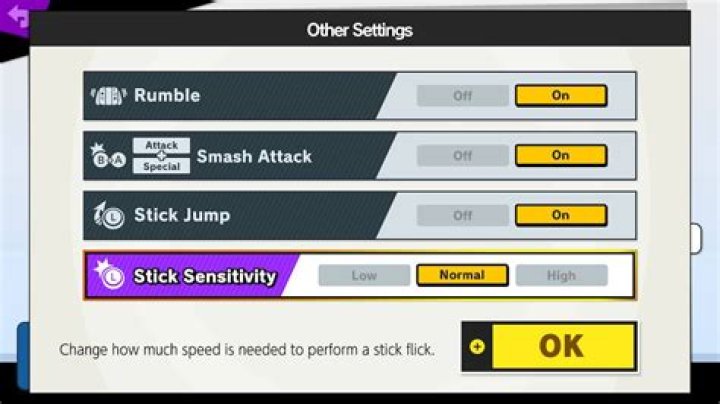
Under "Other Settings" there is an option for Stick Sensitivity:
Stick Sensitivity: Low | Normal | High
Change how much speed is needed to perform a stick flick.
What exactly does this Stick Sensitivity setting control? What is a "stick flick"?
What are practical examples of in-game differences when using the Low/Normal/High settings?
How does sensitivity affect the timing or position of the stick when performing different actions?
02 Answers
Stick Sensitivity is a deceptively named control option. It has nothing to do with run/walk/dash sensitivity, platform drops, stick distance/movement/precision, or anything like that.
Stick Sensitivity only controls the frame window that differentiates between a Smash and a Tilt.
Low stick sensitivity = easier Tilts
High stick sensitivity = easier Smashes
After you "stick flick" your left analog, if you press "A" you will input a directional attack. Stick Sensitivity adjusts the frame window that determines if that attack will be a Smash or Tilt.
Press "A" in the next X frames = Smash
Press "A" after those X frames = Tilt
Lengthening this frame window results in Smashes being easier to input and Tilts more deliberate.
Stick Sensitivity Frames ======================== | L | N | H | F-Smash | 5 | 6 | 7 | U-Smash | 3 | 4 | 5 | D-Smash | 3 | 4 | 5 | Your optimal Stick Sensitivity will primarily depend on whether you set your C-Stick / Right Analog to input Smash or Tilt. You will want to set Stick Sensitivity so that the opposite class of attacks is easier to perform with the Left Analog Stick + Attack button.
- If you use Smash Stick, make A-button Tilts easier to perform with Low Sensitivity
- If you use Tilt Stick, make A-button Smashes easier to perform with High Sensitivity
Set a lower sensitivity if you find it hard to Tilt with the A-button.
If you primarily Smash with the A+B shortcut, set Low sensitivity for easier Tilts.
Setting sensitivity to Low is the closest you can currently get to disabling Smash attack input from your A-button and Left Stick. You unfortunately cannot completely turn off Smash attacks.
References:
4In Japanese, the Stick Sensitivity option is titled はじき入力 meaning "Flick Input".
The options are:
- はじき入力 "Flick Input".
- 出にくい "Hard to input" (Low)
- 普通 "Normal"
- 出やすい "Easy to input" (High)
This seems to indicate that "Stick Sensitivity" is a bad translation of the Japanese original. It's much easier to understand "easy" and "hard" settings for "Flick Input" aka Smash Attacks.