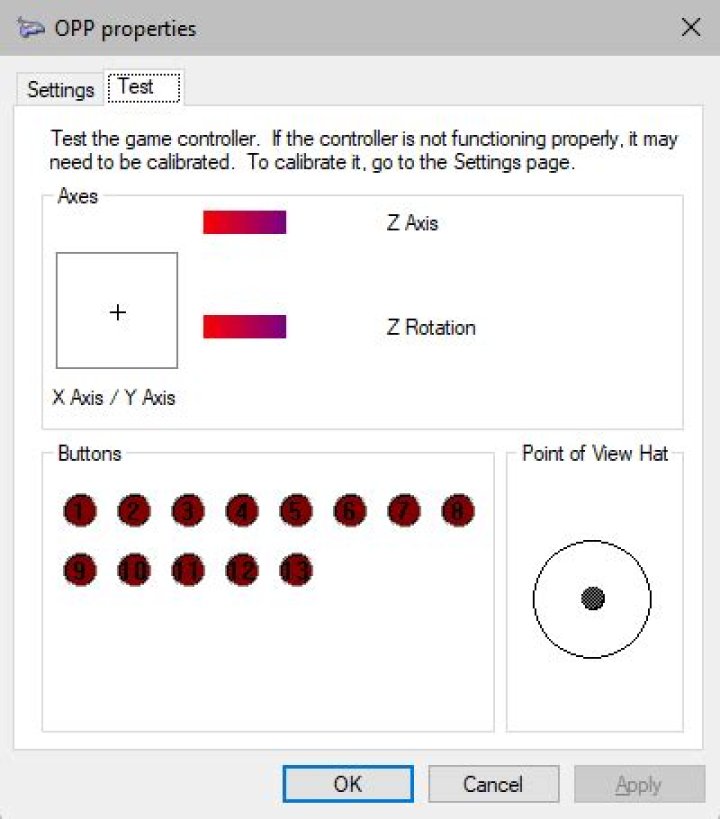
I haven't seen much of a variation in the Windows joystick/gamepad properties window. Here is what it looks like with my PowerA controller plugged in:
Despite having two independent analog thumb sticks, there is only a single crosshair display. The other two "axes" are instead displayed as the "Z Axis" and "Z Rotation". The D-pad maps to the PoV hat.
I think that instead of additional crosshair displays, it just adds more little gradient bars. But what if there are multiple hats? Do they get mapped as buttons?
2 Answers
TL;DR
This would depend on the controller, but most likely your additional D-Pads will show as additional buttons.
There are currently 2 major APIs (Application Programming Interface) in use for controllers in Windows: DirectInput, and the newer XInput.
XInput was designed specifically for the Xbox 360 (and later adapted for the Xbox One), and therefore only supports:
- 4 axes
- X Axis & Y Axis (left stick)
- X Rotation & Y Rotation (right stick)
- 2 triggers (both mapped to Z Axis)
- 10 buttons (ABXY, LB/RT, Back/Start, LS/RS)
- 8-directional POV
In other words, there is no way to add a second D-Pad without removing at least 4 existing buttons (or one analog stick) on an XInput game controller.
DirectInput meanwhile, was designed much earlier, and was part of DirectX since version 1 in 1995. It is far more flexible than its successor (XInput), and the DS4 (PS4 controller) and Nintendo Switch controllers (both JoyCon and Pro Controller) use it. DirectInput supports:
- 8 axes
- 128 buttons
- Full-range POV
Therefore, an additional D-Pad would have to be implemented as 2 additional axes (unlikely), or 4-8 additional buttons.
As implemented by the DS4:
- 6 axes
- X Axis & Y Axis: left stick
- Z Axis & Z Rotation: right stick
- X Rotation & Y Rotation: L2 & R2 (triggers)
- 14 buttons: square/cross/circle/triangle, L1/R1, L2/R2 (again), Share/Option, L3/R3, PS button, Touchpad
- 8-directional POV
As implemented by the Nintendo Switch Pro Controller:
- 4 axes
- X Axis & Y Axis: left stick
- X Rotation & Y Rotation: right stick
- 16 buttons: BAYX, L/R, ZL/ZR, -/+, LS/RS, Home/Share, and 2 unknown buttons
- 8-directional POV
Can the Windows controller properties dialogue display multiple hats?
It can certainly display multiple crosshairs.
As a specific example of the principles explained in Nolonar's answer
I have a Speedlink Strike NX which has a mode button that can be used to switch between DirectInput and XInput.
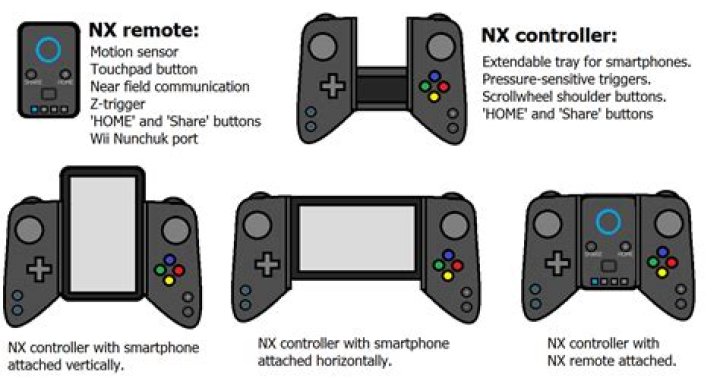
This is how it appears in the properties/calibration dialogue:
First in it's normal DirectInput mode:
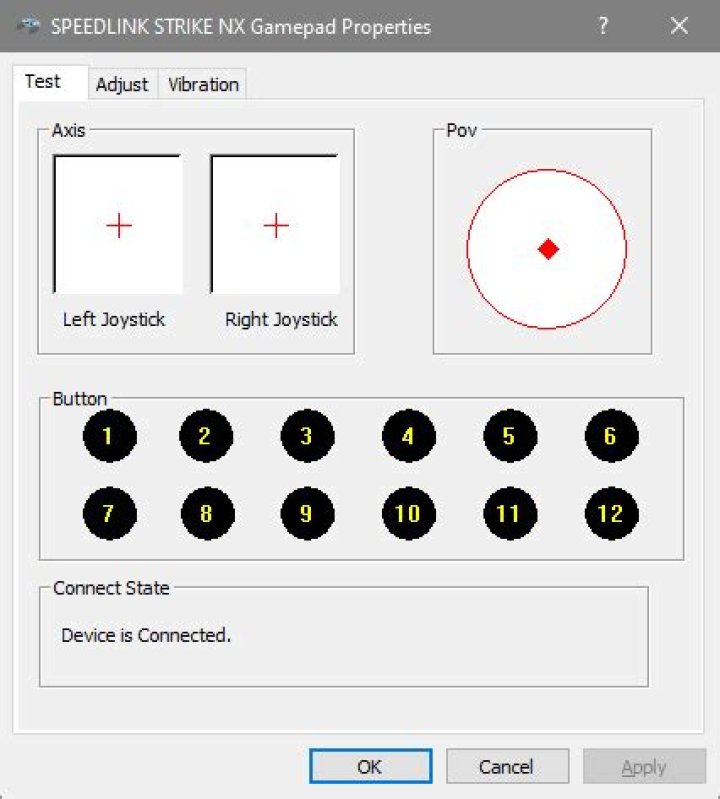
(crosshairs for both analog thumb-sticks. Pov is the D-Pad, everything else is buttons)
Secondly in it's alternate XInput mode:
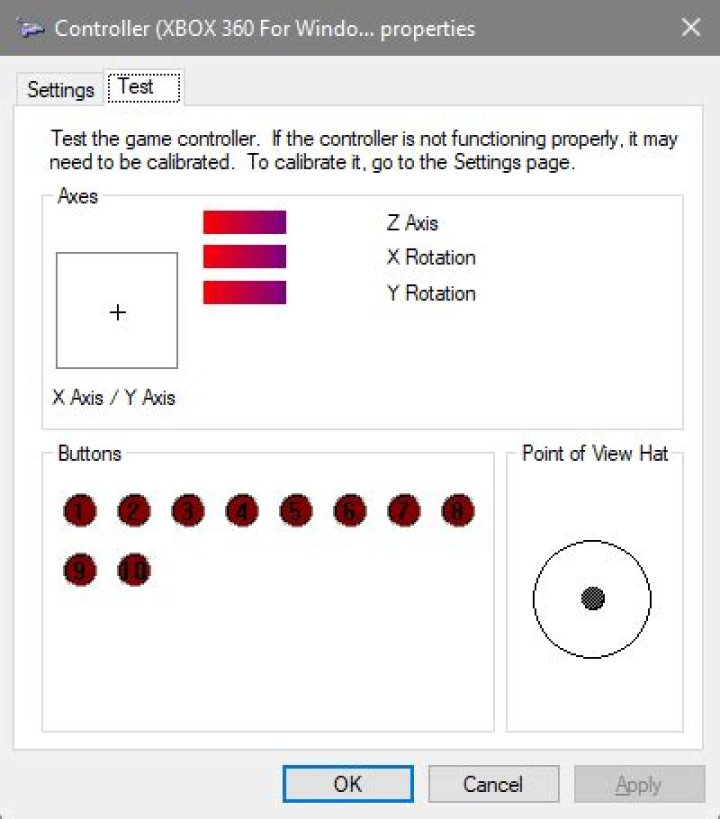
(Right thumbstick is X,Y-rotation bars. L2 & R2 analogue triggers are Z-axis 0-50% and 50-100%)
So yes, The properties dialogue in Windows 10 can display two crosshairs displays. Whether it does depends in part on which input modes the controller supports.
According to Wikipedia
XInput supports maximum of 4 axes, 10 buttons, 2 triggers and 8-direction digital pad per controller, compared to DirectInput's support for 8 axes, 128 buttons, and full-range POV.
I've not seen a properties dialogue with more than one Pov Hat element.